

Hi, I have a trouble to figure out how to use the Mag.
SpeedyBee F405 AIO 40A Bluejay flight controler cannot detect the magnetometer of GEP-M10I (IST8310 included model).
reference sites are:
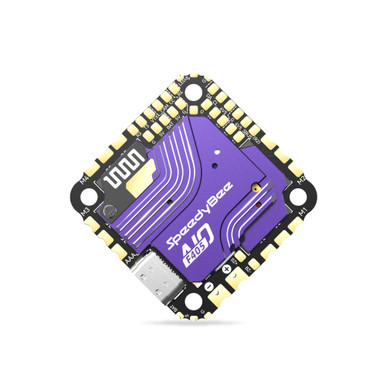
 www.speedybee.com

 geprc.com
chrome-extension://efaidnbmnnnibpcajpcglclefindmkaj/https://geprc.com/wp-content/uploads/2023/08/The-solution-for-GEP-M8Q-M10-DQ-and-other-GPS-module-magnetometers-and-barometers-not-working.pdf
Current condition are;
- GPS fuction is working well.
- BARO icon from the FC, and GPS icon from GEP-M10I are ON, but Mag icon is OFF in Beta flight config UI.
- I soldered 6 cables from the GPS to the FC properly with triple checks, with a tester. (and of course, GPS's SDA should go to FC's SDA, and GPS's SCL should go to FC's SCL. I hope their instuction print would not be wrong...)
- I flushed my FC as GEPRC's PDF's instruciton, adding other options > Magnetometers, but I skipped "Custom Defines BARO_MS5611 BARO_DPS310" because of getting errors. However, my FC already has Baro, and M10I does not have Baro, I should not need this custom defines
- I changed the device numbers couple of times as GEPRC's PDF's instruciton, but did not work.
If you find a soulution how to use this GEPRC's Mag, or you confirmed that other GPS products' Mag is working with the FC, please let me know thanks!
SpeedyBee F405 AIO 40A Bluejay flight controler cannot detect the magnetometer of GEP-M10I (IST8310 included model).
reference sites are:
SpeedyBee F405 AIO 40A Bluejay 25.5x25.5 3-6S Flight Controller
Simplify FPV drone racing!
www.speedybee.com
GEP-M10 Series GPS Module - GEPRC
Summary The GEPRC GPS series product line has been fully upgraded. The GEP-M10 series of GPS products based on u-blox M10050 chip are now launched. The GEP-M10 series GPS positioning module uses u-blox’s M10 chip solution and supports GPS+BDS+Galileo+QZSS+SBAS joint positioning, up to 32...
geprc.com
chrome-extension://efaidnbmnnnibpcajpcglclefindmkaj/https://geprc.com/wp-content/uploads/2023/08/The-solution-for-GEP-M8Q-M10-DQ-and-other-GPS-module-magnetometers-and-barometers-not-working.pdf
Current condition are;
- GPS fuction is working well.
- BARO icon from the FC, and GPS icon from GEP-M10I are ON, but Mag icon is OFF in Beta flight config UI.
- I soldered 6 cables from the GPS to the FC properly with triple checks, with a tester. (and of course, GPS's SDA should go to FC's SDA, and GPS's SCL should go to FC's SCL. I hope their instuction print would not be wrong...)
- I flushed my FC as GEPRC's PDF's instruciton, adding other options > Magnetometers, but I skipped "Custom Defines BARO_MS5611 BARO_DPS310" because of getting errors. However, my FC already has Baro, and M10I does not have Baro, I should not need this custom defines
- I changed the device numbers couple of times as GEPRC's PDF's instruciton, but did not work.
If you find a soulution how to use this GEPRC's Mag, or you confirmed that other GPS products' Mag is working with the FC, please let me know thanks!
